



Instagram Accounts Always Getting Restricted? You May Need Home Warm Up
If you run multiple Instagram accounts, do automation, or do Instagram marketing, you may notice one common problem:
Accounts get restricted easily, or the account trust level is very low.
Many people think the problem is:
- Too many follows
- Too many likes
- Too many DMs
But actually, a very important step is often ignored:
Account Warm Up
Today I want to talk about a very simple method I’ve been using —
Using the Home Warm Up feature in
SuSocialPro
to make accounts look more like real users.
This is not a complicated tutorial, just a simple workflow.
What Is Home Warm Up?
Very simple explanation:
It simulates real users browsing Instagram Home feed.
During Home Warm Up, the account will:
- Scroll the home feed
- Stay on posts for a random time
- Randomly like some posts
- Browse like a normal user
This makes Instagram think:
This account is operated by a real person, not a bot.
This is very important for:
- New accounts
- Bulk accounts
- Marketing accounts
- Automation accounts
If you start following people or sending DMs immediately after logging in, accounts are much easier to get restricted.
Real users don’t open Instagram and immediately follow 200 people.
Real users scroll the home feed first.
That’s why Warm Up is important.
How to Set Up Home Warm Up (Very Simple)
The logic is actually very simple. Basically just 3 steps.
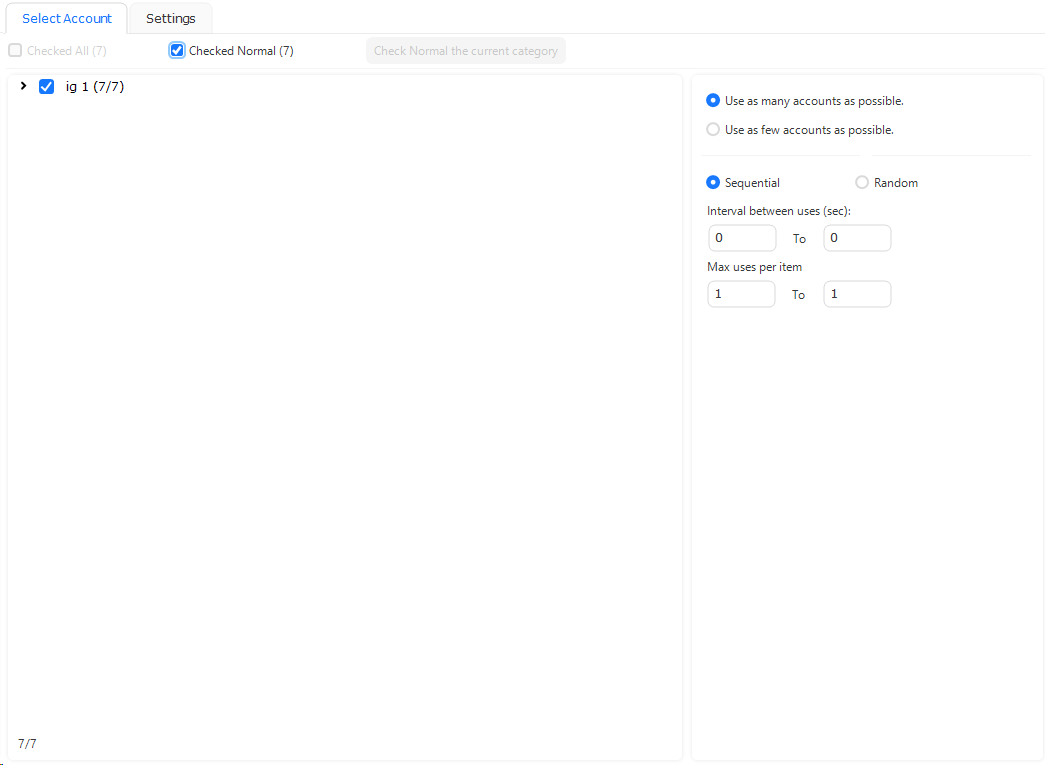
Step 1 – Select Accounts to Run
You can select multiple accounts to run at the same time.
For example:
- Select 20 accounts
- Select 50 accounts
- Select 100+ accounts
If you want to warm up many accounts every day, just select them and run.
Step 2 – Set Warm Up Duration
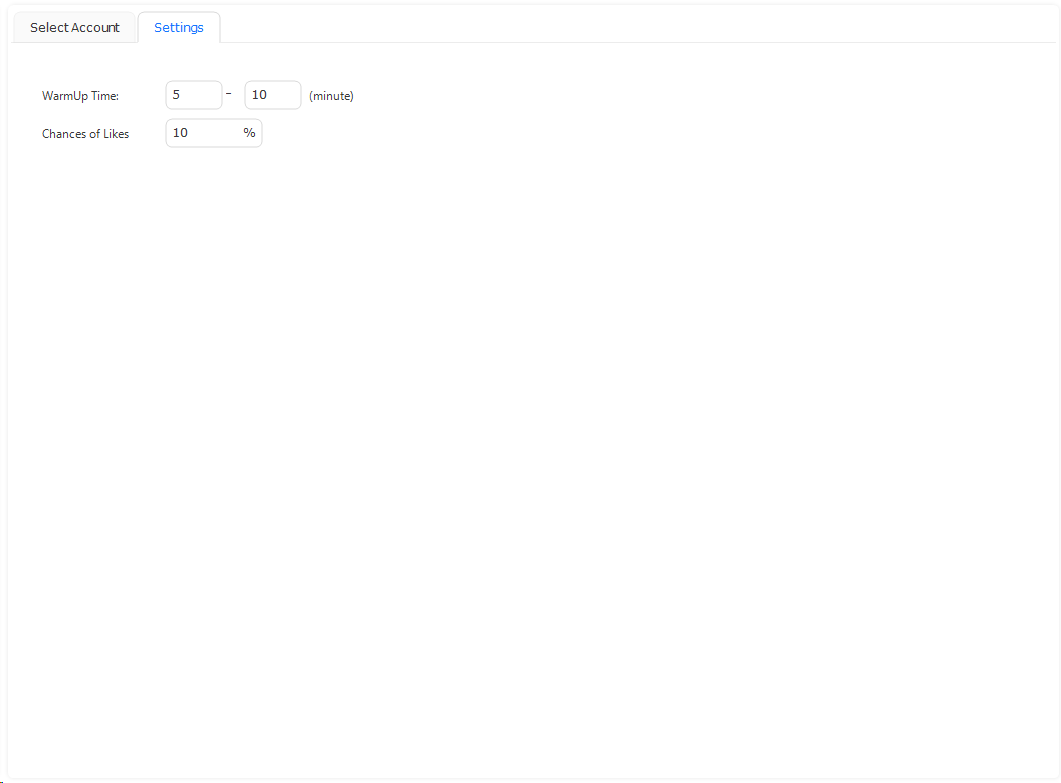
You can set how long each account browses the home feed, for example:
- 5 minutes
- 5–10 minutes
- 10–15 minutes
I usually recommend:
5–10 minutes
It’s better to use a random time range instead of fixed time, because real users don’t use Instagram for exactly the same time every day.
Step 3 – Set Chance of Likes
This is an important setting.
Chance of Likes = Probability of liking posts while browsing
For example:
Set 10%
That means while the account is browsing the home feed, it will randomly like some posts with about a 10% probability.
This is important because:
- Real users don’t like every post
- But real users also don’t like zero posts
- Some likes make the account behavior more natural
Common settings:
- 5%
- 10%
- 15%
Don’t set too high, otherwise it looks unnatural.
Example Warm Up Settings
Here is a simple setup example:
| Setting | Value |
|---|---|
| Accounts | 100+ |
| Warm Up Time | 5–10 minutes |
| Chance of Likes | 10% |
| Run Frequency | 1–2 times per day |
This setup already looks quite similar to real user behavior.
If the accounts are new, you can:
- Warm up every day
- Warm up for a few days
- Then start Follow / Like / DM actions
Accounts will usually be much more stable.
A Common Mistake Many People Make
Many people run Instagram automation like this:
- Import accounts
- Start Follow immediately
- Start DM
- Accounts get restricted
A more natural workflow should be:
- Import accounts
- Home Warm Up for a few days
- Start small amount of Likes
- Start Follow slowly
- Then start DM / Marketing
Warm Up is like making the account become a “real user” first, then start marketing actions.
This step is actually very important for account safety.
Summary
Using
SuSocialPro
Home Warm Up is actually very simple:
Just do three things:
- Select accounts to run
- Set Warm Up time (like 5–10 minutes)
- Set Chance of Likes (like 10%)
Then run it.
Very simple, but very important for:
- New accounts
- Bulk accounts
- Automation accounts
- Marketing accounts
Many times, the difference between stable accounts and restricted accounts is just whether you did Warm Up or not.