



Why Doesn't PVACreator Need My Outlook Password? Understanding OAuth2 Authentication for Beginners
If you're using Outlook email accounts in PVACreator to register accounts on Instagram, Facebook, Spotify, or other websites, you may notice something unusual.
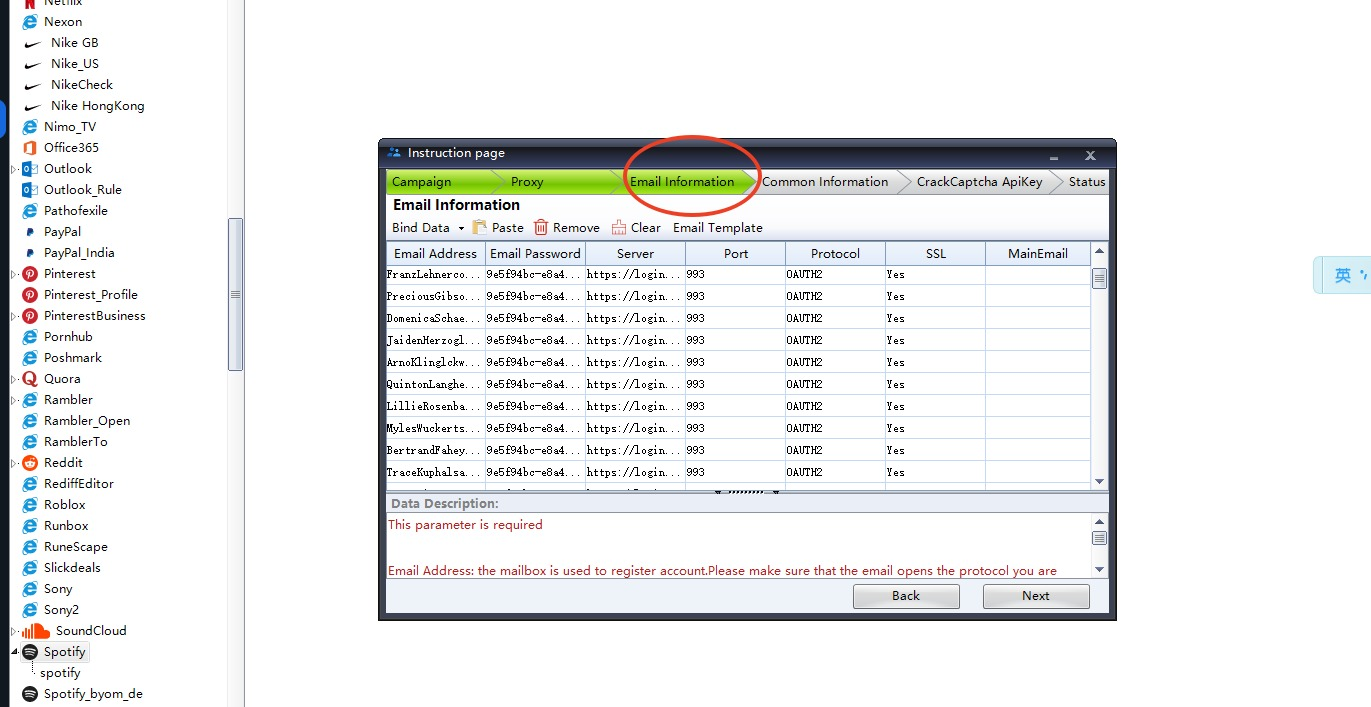
Instead of entering your Outlook password, PVACreator asks you to import your email like this:
[email protected]Password
ClientID|RefreshTokenServer
https://login.microsoftonline.com/common/oauth2/v2.0/token|outlook.live.comPort
993Protocol
OAUTH2SSL
YesMany beginners immediately ask:
"Where is my Outlook password?"
"Why do I need a Client ID and Refresh Token instead?"
The answer is actually very simple.
Outlook No Longer Wants Apps to Use Your Password
Years ago, email software simply logged into your mailbox using your email address and password.
This worked, but it wasn't very secure.
If an application stored your password, anyone who obtained it could log into your mailbox directly.
To improve security, Microsoft introduced OAuth2 authentication.
With OAuth2, applications don't need to know your password.
Instead, Microsoft issues a secure authorization token that allows an application to access your mailbox without revealing your actual password.
This is now the recommended authentication method for Outlook.
What Are Client ID and Refresh Token?
Don't worry—you don't need to understand the technical details.
Just think of them like this:
- Client ID tells Microsoft which application is requesting access.
- Refresh Token is a secure authorization that allows the application to continue accessing your mailbox without asking you to log in every time.
Together, they replace your password for email access.
Your Outlook account is still protected by Microsoft.
PVACreator never needs your actual Outlook password when using OAuth2.
Why Does PVACreator Use OAuth2?
When registering accounts on websites like Instagram, Facebook, Spotify, and many others, verification emails are often sent to your Outlook inbox.
PVACreator needs to read those verification emails automatically.
OAuth2 allows the software to do this in a secure and Microsoft-approved way.
Compared with traditional password login, OAuth2 offers several advantages:
- Better security
- No need to expose your Outlook password
- More reliable authentication
- Fully compatible with Microsoft's modern authentication system
How to Import an Outlook Account into PVACreator
When importing your Outlook account, use the following format:
[email protected]Password
ClientID|RefreshTokenServer
https://login.microsoftonline.com/common/oauth2/v2.0/token|outlook.live.comPort
993Protocol
OAUTH2SSL
YesAlthough the field is labeled Password, you should not enter your Outlook password.
Instead, enter:
ClientID|RefreshTokenThis is exactly how OAuth2 authentication works.
Is My Outlook Password Still Needed?
Yes.
Your Outlook password is still used when you log into Outlook on Microsoft's website.
However, PVACreator does not use your password when accessing your mailbox through OAuth2.
Instead, it uses the authorization information provided by Microsoft.
Final Thoughts
If you're new to PVACreator, seeing "Client ID" and "Refresh Token" where a password is expected may seem confusing.
But this is completely normal.
Modern Outlook email access is based on OAuth2 authentication, not traditional password login.
Using OAuth2 makes email automation safer, more reliable, and fully compatible with Microsoft's latest security requirements.
So if PVACreator asks you to enter:
ClientID|RefreshTokeninstead of your Outlook password, that's exactly what it is supposed to do.