PVACreator AOL Bulk Account Creator Campaign Settings
AOL Campaign Settings
Please configure the following fields correctly when creating an AOL campaign in PVA Creator:
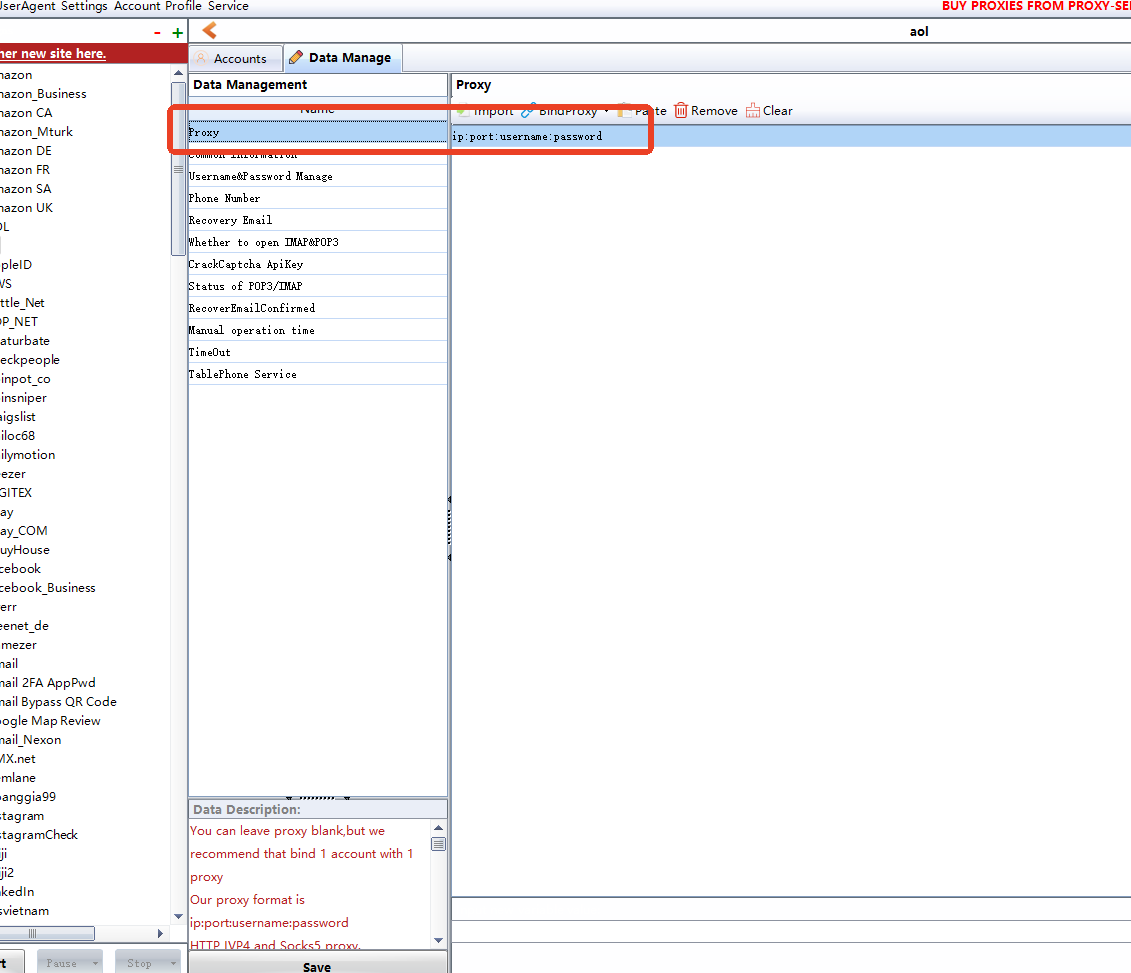
1. Proxy
Proxy is recommended for AOL account creation.
Use the following format:
IP:Port:Username:Password
Example:
123.123.123.123:8080:proxyuser:proxypassword
2. Username
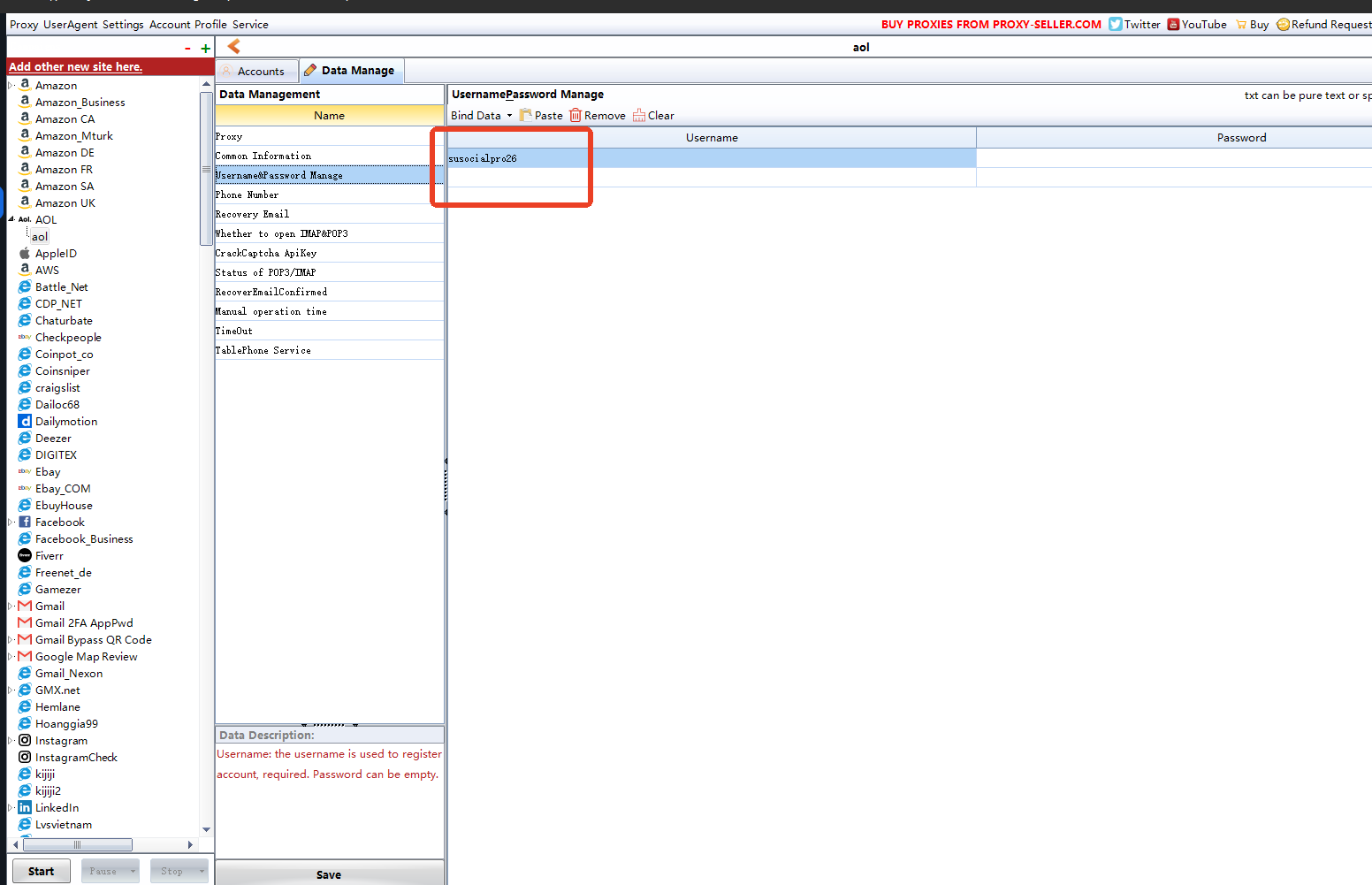
The Username field is required. Please enter the username you want to use for the AOL account.
3. Phone Service
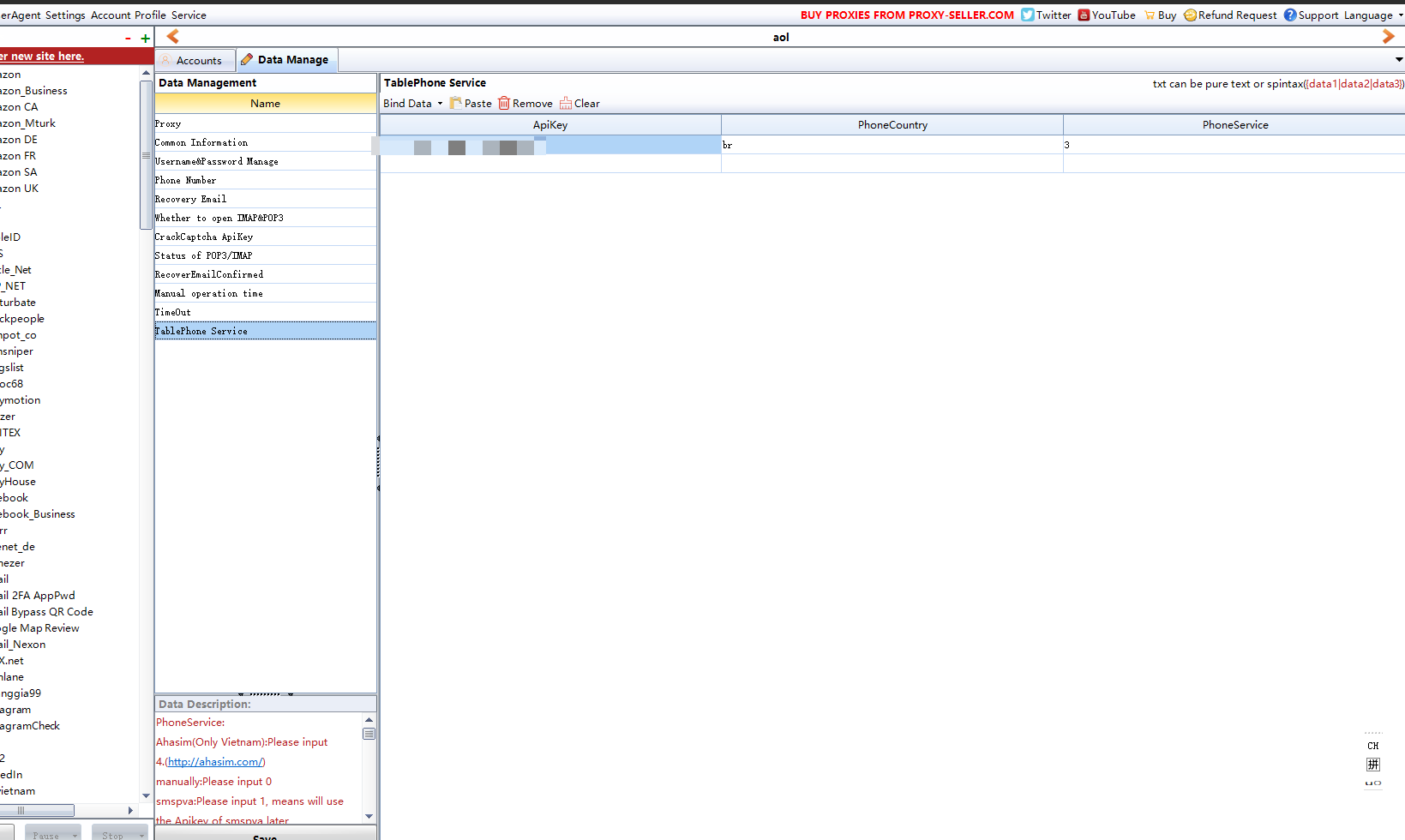
The Phone Service field is required for phone verification.
Using Hero-SMS as an example:
API Key: Enter the API key obtained from your Hero-SMS account.
Phone Country: Enter the country abbreviation.
The Phone Country must match the country of the proxy you are using.
Phone Service: Enter
3, which represents Hero-SMS.
For example, if your proxy is from the United States, the Phone Country should also be set to the corresponding abbreviation for the United States.
Please make sure the proxy country and phone country are consistent, otherwise phone verification may not work correctly.