



How to Find People Talking About Your Industry on Facebook
If you want to find potential customers on Facebook, searching for people who match a certain demographic is only one approach.
There is another signal that can be much more useful:
What are people actually talking about?
Someone may never say, “I am looking for your product.”
Instead, they may say:
- “Does anyone know a good tool for this?”
- “How do you manage multiple accounts?”
- “I spend hours doing this manually.”
- “What software are you using?”
- “Is there a better way to handle this?”
- “I need a solution for my business.”
These conversations can reveal problems, interests, questions, and potential buying intent.
That is why finding people talking about your industry on Facebook is not simply a search task. It is a form of customer research.
And once you understand what to look for, social media automation can make the process much easier to repeat.
1. Start With Conversations, Not Customer Profiles
A common approach to Facebook marketing is to define an audience first.
For example:
- business owners
- marketers
- agencies
- e-commerce companies
- local businesses
This can be useful, but it does not tell you what these people need right now.
Consider two Facebook users.
The first person follows several marketing Pages.
The second person writes:
“I manage 15 client accounts and I'm spending too much time publishing posts manually.”
The second person has revealed much more information.
You know there is a problem.
You know the problem involves multiple accounts.
You know the person is spending time on a repetitive task.
And you may have a reason to start a useful conversation.
The goal is therefore not simply to find people interested in your industry.
The goal is to find people having conversations related to the problems your business can solve.
2. Build a Facebook Keyword Map
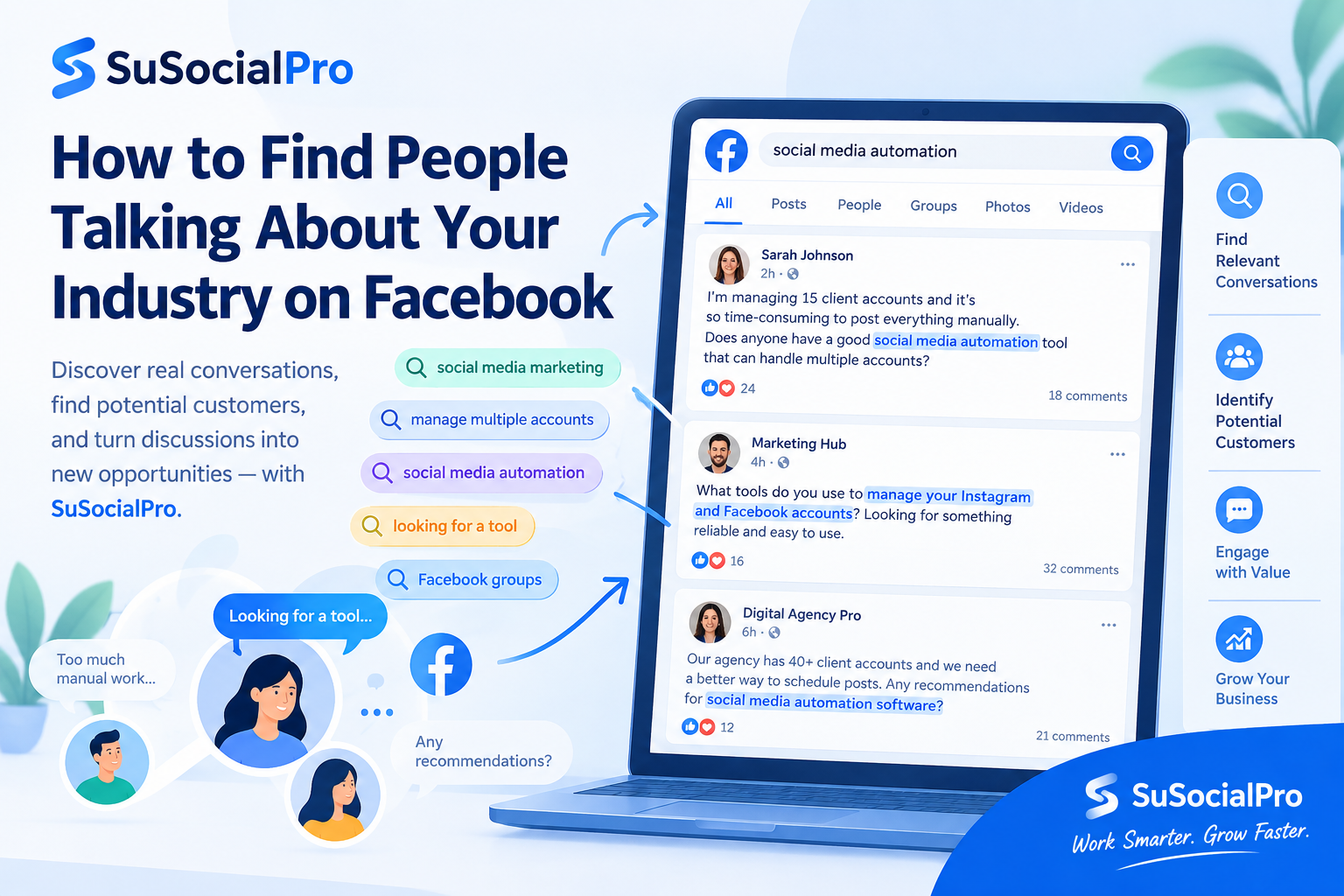
Before searching Facebook, make a list of the different ways people might talk about your industry.
Do not start with only your product name.
For example, suppose you sell social media automation software.
You could search for:
Industry keywords
- social media marketing
- social media management
- Facebook marketing
- Instagram marketing
- social media agency
Product keywords
- social media automation
- Instagram scheduling
- Facebook automation
- social media management tools
Problem keywords
- manage multiple accounts
- posting manually
- too much social media work
- managing client accounts
- social media workflow
Intent keywords
- looking for a social media tool
- best social media software
- social media automation recommendations
- tool for multiple social media accounts
Question keywords
- how to automate Facebook posts
- how to manage multiple Instagram accounts
- how do agencies manage social media
- how to schedule social media posts
This keyword map gives you multiple ways to discover conversations.
3. Search for Problems, Not Just Products
One of the biggest mistakes in social media research is searching only for product-related words.
Imagine you sell project management software.
You could search:
project management software
But a potential customer might write:
“Our team keeps missing deadlines because nobody knows who is responsible for each task.”
That person may never mention “project management software.”
Yet the problem is highly relevant.
The same thing happens across almost every industry.
People usually describe their situation before they describe the solution.
So create three groups of keywords:
What people want
What problems they have
What solutions they are considering
This gives you a much larger discovery surface.
Facebook's search system has historically used both the search query and signals from activity on Facebook to determine what content is relevant. Meta has also described newer Facebook Groups Search work that combines exact keyword retrieval with semantic retrieval, helping searches find conceptually related discussions even when the wording is different.
That makes it even more important to think about the different ways your audience may express the same problem.
4. Search Facebook Posts, Not Only Groups
Facebook Groups are useful because people gather around specific interests and industries.
But don't stop there.
A person talking about your industry does not necessarily belong to an obvious industry group.
They may simply publish a post on their personal profile or interact with another public conversation.
For example:
“I'm trying to find a better way to manage all of our social accounts.”
That single post could be more valuable to a software company than a large group containing thousands of passive members.
Facebook has long provided ways to discover public conversations around topics, and Facebook Search can surface different types of content depending on what is available to the user.
So when doing customer research, think beyond:
“Which groups should I join?”
Also ask:
“Where are people currently discussing the problem?”
5. Look for Buying Signals
Not every conversation is a potential sales opportunity.
Someone saying:
“Facebook is great for marketing.”
doesn't tell you much.
Someone saying:
“What tools are people using to schedule posts across multiple Facebook Pages?”
is more interesting.
And someone saying:
“I'm looking for software that can manage multiple social media accounts.”
contains an even clearer signal.
You can think about conversations in three levels.
Level 1: General interest
The person is discussing your industry.
Level 2: Problem awareness
The person is describing a problem your product may solve.
Level 3: Solution intent
The person is actively asking about tools, services, recommendations, or ways to solve the problem.
The third category is especially useful for customer research.
But don't ignore the second category.
Someone who is clearly experiencing a problem may become interested in solutions even if they have not started shopping yet.
6. Read the Comments, Not Just the Original Post
A Facebook post is only the beginning of the conversation.
The comments can reveal additional information.
For example:
Original post:
“Managing multiple Instagram accounts manually is taking too much time.”
Comments might include:
“Same problem here.”
“What tool are you using?”
“We tried another platform but it didn't work for us.”
“I need something that supports more accounts.”
Now you have several different signals.
You can learn:
- whether the problem is common
- what solutions people already tried
- what limitations they encountered
- what features they want
- what language they use to describe the problem
This is extremely useful for both marketing and product positioning.
In other words:
The post tells you the problem.
The comments often tell you the context.
7. Don't Treat Every Relevant Person as a Lead
This distinction matters.
Finding someone talking about your industry does not automatically mean you have found a qualified lead.
A person might be:
- a student
- a competitor
- a researcher
- a casual user
- someone asking a general question
- an experienced buyer
- a business owner with an immediate need
You need to interpret the context.
This is also why social media discovery should not be described as a perfect lead database.
The quality of the opportunity depends on the conversation, the person, the context, and the filters you apply.
The better goal is:
Find relevant conversations first. Then identify which ones deserve attention.
8. Use Filters to Reduce the Noise
Once you start searching multiple keywords, the amount of information can become difficult to manage.
You may find hundreds or thousands of results.
This is where filtering becomes important.
Depending on your workflow, useful filters can include things such as:
- keyword relevance
- content type
- engagement
- location
- language
- account information
- other available profile or content attributes
The purpose is not to create a perfect database.
The purpose is to reduce irrelevant results so that you can spend more time on conversations that actually matter.
9. Turn Discovery Into Engagement
Finding the conversation is only the first step.
The next question is:
What should you do after finding it?
A simple workflow can be:
Find → Read → Filter → Understand → Engage
For example, suppose you find a post where someone asks how to manage multiple social media accounts.
Instead of immediately posting a sales pitch, you can contribute something useful.
Explain a workflow.
Answer a question.
Share an experience.
Point out a practical solution.
The objective is to become relevant to the conversation rather than interrupting it.
This distinction is important because social media marketing is not simply about putting your product in front of as many people as possible.
It is about being visible in the right conversations.
10. Where Social Media Automation Can Help
The manual process looks simple:
- Search for a keyword.
- Open a result.
- Read the post.
- Check the user.
- Decide whether it is relevant.
- Engage with the content.
- Repeat.
Doing this once is easy.
Doing it every day across multiple keywords is different.
And doing it across multiple social accounts becomes even more time-consuming.
This is where automation can help.
With a social media automation workflow such as SuSocialPro, you can build repeatable processes around activities such as keyword-based discovery, filtering relevant content or users, and carrying out engagement tasks.
The important point is that automation does not replace judgment.
It helps reduce repetitive work.
You still decide:
- which keywords matter
- which audiences matter
- which conversations are relevant
- what type of engagement makes sense
- which results deserve further attention
The software helps you execute the workflow more consistently.
11. SuSocialPro Is Not a Magic Lead Database
This is an important distinction.
SuSocialPro should not be understood as a system that magically produces a perfectly accurate list of customers.
Social media conversations are messy.
Keywords can produce irrelevant results.
Some users may not be potential customers.
Some posts may be outdated.
Some conversations may have nothing to do with buying.
Instead, SuSocialPro can be used as part of a broader social media discovery and engagement workflow.
You define what you want to look for.
You search for relevant content and users.
You apply available filters.
You identify conversations worth attention.
Then you can automate repetitive engagement activities around those results.
The value is not that every result is automatically a customer.
The value is that you can systematically find more relevant conversations without manually repeating the same search process all day.
12. A Simple Facebook Customer Discovery Workflow
A practical workflow can look like this:
Step 1 — Define your industry
What market are you targeting?
Step 2 — List the problems
What problems does your audience experience?
Step 3 — Build keyword groups
Create industry, product, problem, question, and intent keywords.
Step 4 — Search Facebook
Look across relevant posts, discussions, and groups.
Step 5 — Identify conversations
Find people actually discussing the topic.
Step 6 — Check context
Read the original post and comments.
Step 7 — Filter
Remove irrelevant conversations and users.
Step 8 — Engage
Add useful comments or other appropriate interactions.
Step 9 — Repeat
Keep discovering conversations instead of relying on one campaign.
This creates a much more sustainable approach to Facebook marketing.
The Real Opportunity Is Already in the Conversation
Your potential customers may already be talking about your industry on Facebook.
The challenge is not always creating another advertisement.
Sometimes the challenge is simply finding the right conversation.
Someone is asking a question.
Someone is complaining about a problem.
Someone is comparing tools.
Someone is looking for a recommendation.
Someone is trying to figure out how to do something faster.
Those conversations contain valuable information.
The more systematically you can discover them, understand them, and participate in them, the more opportunities you can uncover.
And when the discovery process becomes repetitive, automation can help you scale the workflow without turning every day into hours of manual Facebook searching.
Find the conversations first.
Understand the people behind them.
Then use automation to make the process repeatable.
That is a much more practical way to approach Facebook customer discovery.